Build a Grid Filter
Most of the grids in EMS can be sorted and filtered in a variety of ways to focus a specific sub-set of data within the grid.
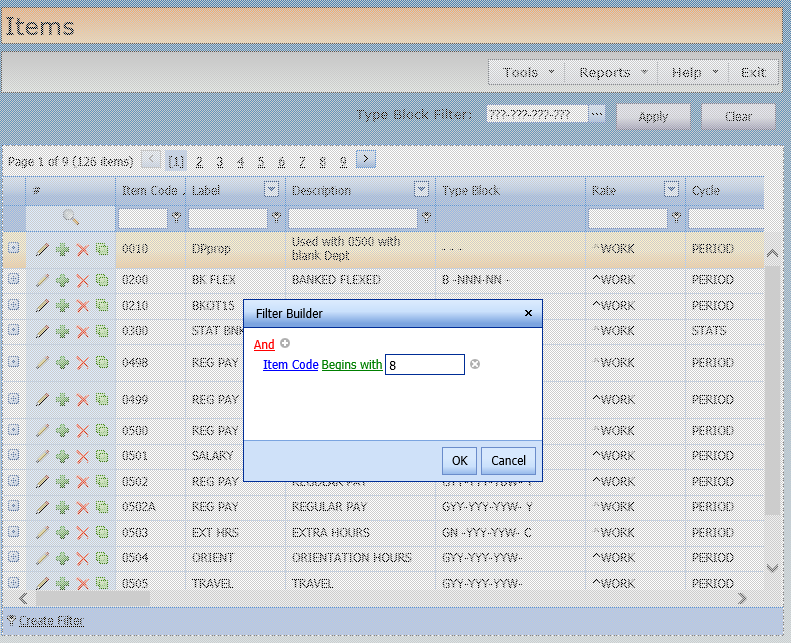
1. If a Create Filter link is not displayed at the bottom left of the grid to be filtered, follow the steps shown in Search for Codes to create a starting filter and then click on the filter text link displayed at the bottom left of the grid. Otherwise, click the Create Filter link.
2. The Filter Builder will be displayed. If no filter has been created yet, click the small plus sign next to the Add link to start a new one.
3. Using the blue link, select a field to be used in the filter.
4. Using the green link, select the type of filter to apply.
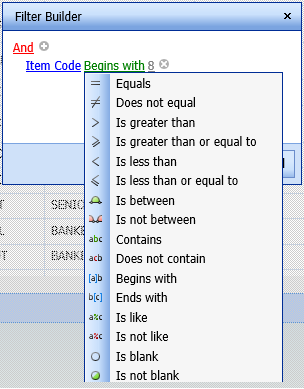
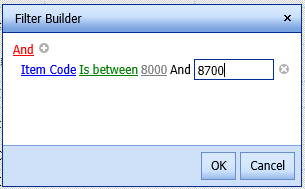
5. Enter the value(s) to be used in the filter.
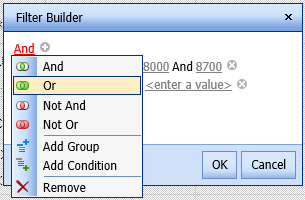
6. Click the And link to change the operation to an Or, Not And or Not Or, to create a new Group or Condition, or to remove a condition.
7. Click OK to apply the filter.
See also: